Search results for "apache worker vs prefork"

Apache config for Worker MPM vs Prefork MPM

Some installations of Apache will have been compiled to work with either Prefork or Worker MPM, but most by default are compiled only to work with Prefork. Changing to Worker MPM may allow your server to handle much higher traffic, more user sessions, with less RAM use. Your site or server will not scale well if it is running Prefork MPM. Worker is a bit more difficult to set up properly, and has some restrictions regarding functionality of PHP… 7, 1, 2, 0 and 3431.77

Continue Reading Comments { 4 }
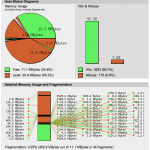
APC INFO Monitor

How to Configure APC Cache on Virtual Servers with PHP running under FCGId

…u may wish to run Apache with Worker MPM instead of Prefork MPM. More information about Apache Worker MPM vs. Prefork MPM » Installation Suggestions and Modification of Defaults Be sure to install the newest version of APC, 3.1.9 as of the last revision of this post (I assume you know how to install and configure all the packages mentioned in this post): pecl install apc Choose “no” for internal debugging,  but choose “yesR… 2, 0, 0, 0 and 753.31

Continue Reading Comments { 54 }

Tuning Apache and MySQL for Best Performance in a Shared Virtual Hosting Environment

…your MySQL server performance, you may try: mysqltuner: https://github.com/rackerhacker/MySQLTuner-perl (or http://mysqltuner.pl for the script only) MySQL Tuning Primer: https://launchpad.net/mysql-tuning-primer phpMyAdmin 3.5+: Status Monitor and Advisor are excellent tools, but require proper phpMyAdmin setup These scripts will analyze MySQL performance and make suggestions regarding your my.cnf configuration. mysqltuner is now deprecated,… 1, 0, 0, 0 and 526.11

Continue Reading Comments { 3 }

Install phpMyAdmin with SSL on CentOS, Amazon Linux, RedHat (Apache or NginX)

phpMyAdmin database display I recently ran into a problem with the upgraded 3.5.2 phpMyAdmin package provided via the rpmforge.repo. Search no longer works, nor does pagination, etc. Plus, it’s out of date and vulnerable to an XSS exploit. I have solved this by changing to the EPEL repo, which maintains the latest version of phpMyAdmin. This post will teach you how to install phpMyAdmin on CentOS, Amazon Linux, or Redhat. Configuration ins… 7, 1, 0, 0 and 430.45

Continue Reading Comments { 0 }

Varnish VCL and Config for WordPress with W3 Total Cache

…ouch”); } return (hash); } Incoming search terms for the article: w3 total cache varnish varnish wordpress vcl varnish wordpress varnish backend subdomain wordpress varnish vcl varnish video cache server configuration varnish 3 0 wordpress vcl w3tc varnish varnish wordpress multisite w3 total cache varnish cache… 3, 0, 0, 0 and 334.81

Continue Reading Comments { 17 }

Résumé

Chris Gilligan Information Architect, Web Server Administrator, Media Producer web • video • print chris@chrisgilligan.net chrisgilligan.com I design and produce information and communication media for university, corporate, small business, manufacturing and non-profit clients: web sites Information architecture and design for open source content management systems Linux Apache MySQL PHP web server administration Postfix Dovecot Sendmail [...]

Continue Reading
SoccerNews.com website

Apache and MySql Performance Tuning for High Traffic WordPress Website on Cpanel

there were inevitable JavaScript and PHP conflicts, but W3TC is very flexible and was able to handle the task. Suggested a scheduled, offsite backup strategy that would utilize existing resources, and eliminate the need for a 3rd-party backup solution that was causing more load issues and costing $45.00 per month. Now the site is stable and fast, and is ready for very high traffic. With World Cup Brazil coming up in 2014, the site will definitel… 3, 1, 2, 0 and 310.88

Continue Reading Comments { 2 }

WordPress with W3 Total Cache on Nginx with APC (Virtualmin)

…at file (/home/domainname/etc/php5/php.ini) Add the following to php.ini (adjust to your requirements) [APC] extension = apc.so apc.enabled = 1 apc.shm_segments = 1 apc.shm_size = 12M apc.optimization = 0 apc.num_files_hint = 256 apc.user_entries_hint = 1024 apc.ttl = 0 apc.user_ttl = 0 apc.gc_ttl = 600 apc.cache_by_default = 0 apc.filters = “-/home/username/public_html/scripts-not-to-cache/.*,-/home/username/public_html/apc/.*” apc.slam_defense… 6, 0, 0, 0 and 286.97

Continue Reading Comments { 18 }

WordPress Fail2Ban RegEx for RedHat, CentOS, Amazon Linux

VacantServer WordPress sites are getting hammered with bad logins and probes. We’ve implemented a plugin to log failed login attempts to syslog, and a Fail2Ban filter for the same. If you run these on RedHat, you’ll need some additional configuration info… here it is: WordPress login failure regex (error_log):

Apache nohome regex (error_log):

[...]

Continue Reading Comments { 0 }

apache_web-hosting

Continue Reading Comments { 0 }