Search results for "how to solve error no cache info available apc does not appear to be running"

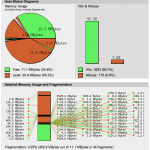
APC INFO Monitor

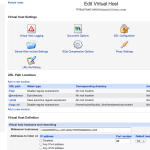
How to Configure APC Cache on Virtual Servers with PHP running under FCGId

cgi-bin> allow from all </Directory> SuexecUserGroup “#987″ “#756″ Options ExecCGI FollowSymLinks Includes IncludesNOEXEC -Indexes MultiViews SymLinksIfOwnerMatch RemoveHandler .php RemoveHandler .php5 IPCCommTimeout 12 </VirtualHost> You must “babysit” the configuration: use the APC monitor (apc.php) to see how many files are being cached, and how much memory (apc.shm_size) is needed to avoid fragmentation, which will… 2, 1, 0, 0 and 13053.4

Continue Reading Comments { 54 }

WordPress with W3 Total Cache on Nginx with APC (Virtualmin)

…file, so you can add the APC directives to that file (/home/domainname/etc/php5/php.ini) Add the following to php.ini (adjust to your requirements) [APC] extension = apc.so apc.enabled = 1 apc.shm_segments = 1 apc.shm_size = 12M apc.optimization = 0 apc.num_files_hint = 256 apc.user_entries_hint = 1024 apc.ttl = 0 apc.user_ttl = 0 apc.gc_ttl = 600 apc.cache_by_default = 0 apc.filters = “-/home/username/public_html/scripts-not-to-cache/.*,-/home/… 1, 0, 0, 0 and 5558.45

Continue Reading Comments { 18 }

Tuning Apache and MySQL for Best Performance in a Shared Virtual Hosting Environment

…just config variables to take up no more than 60% of total RAM. Wait 24-48 hours and run mysqltuner again. Example mysqltuner results: ——- Performance Metrics ————————————————- [--] Up for: 13d 2h 34m 16s (1M q [1.561 qps], 67K conn, TX: 81B, RX: 449M) [--] Reads / Writes: 91% / 9% [--] Total buffers: 298.0M global + 6.4M per thread (151 max threads) [OK] Maximum possible memory usage: 1.2G (61% of installed RA… 6, 0, 0, 0 and 4470.67

Continue Reading Comments { 3 }
APC INFO Monitor

APC Cache Considerations for Virtual Hosting Environments

APC per virtual server. However with 200+ virtual hosts all running PHP script packages, as is the case with a commodity shared hosting server, this will use a lot of memory, and you will need somewhere in the neighborhood of 10-30GB apc.shm_size if you attempt to configure a single APC cache for the entire server. My web hosting server is for a small number of personal clients, so I adjust the APC settings for each individual account, depending… 3, 0, 0, 0 and 2175.57

Continue Reading Comments { 2 }

Varnish VCL and Config for WordPress with W3 Total Cache

…etc/init.d/varnish expects the variable $DAEMON_OPTS to be set from this # shell script fragment. # # # Maximum number of open files (for ulimit -n) NFILES=131072 # # Locked shared memory (for ulimit -l) # Default log size is 82MB + header MEMLOCK=82000 # # Maximum size of corefile (for ulimit -c). Default in Fedora is 0 # DAEMON_COREFILE_LIMIT=”unlimited” # # Set this to 1 to make init script reload try to switch vcl without restart. # To make t… 1, 0, 0, 0 and 1183.41

Continue Reading Comments { 17 }
SoccerNews.com website

Apache and MySql Performance Tuning for High Traffic WordPress Website on Cpanel

referrals provide the revenue stream. SoccerNews.com website I was contacted by the publisher after responding to a plea for assistance in a WordPress.org support forum. Though the site was running on a dedicated server with 8GB RAM, it was crashing frequently under load. The developer tried implementing APC Alternative PHP Cache and W3 Total Cache, but these measures turned out to be incompatible with some of the custom PHP code and the softwar… 2, 0, 0, 0 and 836.76

Continue Reading Comments { 2 }

Apache config for Worker MPM vs Prefork MPM

Some installations of Apache will have been compiled to work with either Prefork or Worker MPM, but most by default are compiled only to work with Prefork. Changing to Worker MPM may allow your server to handle much higher traffic, more user sessions, with less RAM use. Your site or server will not scale well if it is running Prefork MPM. Worker is a bit more difficult to set up properly, and has some restrictions regarding functionality of PHP… 4, 0, 0, 0 and 525.96

Continue Reading Comments { 4 }

WordPress Fail2Ban RegEx for RedHat, CentOS, Amazon Linux

VacantServer WordPress sites are getting hammered with bad logins and probes. We’ve implemented a plugin to log failed login attempts to syslog, and a Fail2Ban filter for the same. If you run these on RedHat, you’ll need some additional configuration info… here it is: WordPress login failure regex (error_log):

Apache nohome regex (error_log):

[...]

Continue Reading Comments { 0 }

Remote publishing to WordPress from Facebook via RSS

…deo. But be sure to add a tagline to “Say something about this…” This line becomes your Title in the RSS feed or WordPress post. Otherwise you will see a generic “Your Client’s Facebook Wall 07/12/2011 15:35:43″ as the title. And on the client’s site, you will see this: You may want to set up a WordPress Category for these posts. FeedWordPress can be configured to post to a specific Category, add Tags, etc. Y… 3, 0, 0, 0 and 430.34

Continue Reading Comments { 6 }

APC INFO

APC INFO Monitor

Continue Reading Comments { 0 }